While I had ambitions to get all the data into the database, the challenge is trying to manage large files (larger than say 1GB compressed) because if you run into any problems while parsing the file, you’ll need to figure out what the problem is, fix it or handle the error and then continue onto the next bit of data. This all takes time and patience.
I decided to take a different approach – rather than download a massive amount of data into one file,
- just setup a counter that increments every time a log entry is parsed
- when that counter is modded by 500 000 and it equals 0, then create a new file.
- keep repeating until I abort the download of the Threat Intelligence stream from Quad9.
Manageable chunks of data (about 70-80MB) = easier to parse multiple smaller files, find errors in a much easier way, improves data portability.
The next challenge is trying to take my output files: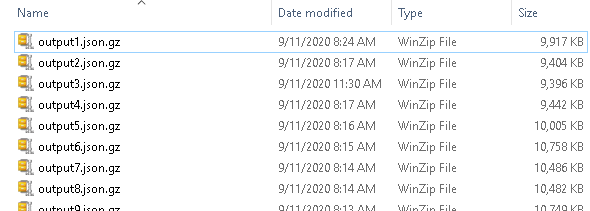
Big Data – Old File Format
Which contain multiple entries with various timestamps and put them into a more organised file format: Big Data – Timestamp
The trick is trying to grab the timestamp field out of the JSON data.
Python provides a really nifty json module that can help with this:
Sample JSON Python code
# {“id”:”21373916023″,”qname”:”issl-cert.pl”,”qtype”:”A”,”timestamp”:”2020-09-10T00:00:08.205027256Z”,”city”:”Warsaw”,”region”:”14″,”country”:”PL”} # input_line is the single line that’s read from the file: json_data = json.loads(input_line) # line_timestamp is the timestamp field line_timestamp = json_data[“timestamp”][0:13].replace(“T”,”H”) # example result from data above: line_timestamp = “2020-09-10H00”
What I noticed when trying to read the single large file directly and output it into multiple files, the write performance is terrible! (1500 lines /sec).
A different approach was needed.
Define a dictionary with a nested list
The dictionary structure is as follows:
- the key value of the dictionary is the timestamp (making sure that the line_timestamp key exists first)
- the data is added to a list of each line entry from the file
if line_timestamp not in ResultData: ResultData[line_timestamp] = [] ResultData[line_timestamp].append(input_line)
Once the single file data had been completely loaded into memory, I defined a function to iterate through the ResultData dictionary and output it into it’s specific files:for key in ResultData: parsed_file = open(key + “.json”,”ab”) for item in parsed_data[key]: parsed_file.write(item) parsed_file.close()
My recommendation here is that you leverage smaller files to help with memory management. I ran into an interesting issue with the 32 bit and 64 bit versions of Python (and some interesting performance improvements).
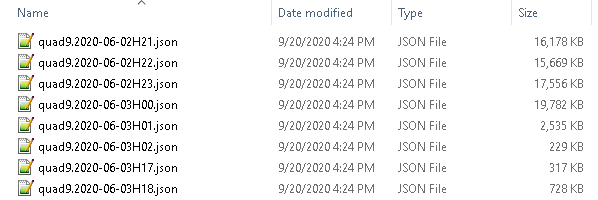
Now that I have the logic working, this is the resulting output: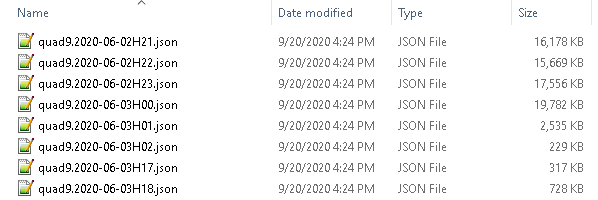
Big Data – New File Format
By having the files in this format, it’s going to be easier to create reports on specific (time managed data) instead of sifting through the millions lines of data for the information that you’re looking for.
 Personal Blog