
I’ve been volunteering some of my time with the COVID-19 Cyber Threat Coalition. It’s a collection of volunteers that have banded together thwart malicious people (artificial intelligence…maybe?) and put those threats into an easily digestible block list that companies can enforce – all relating to COVID-19 threats. Through this group, Quad9 recently added our blocklist as a Threat Intelligence feed to help protect their consumers.
One of the more ambitious tasks I put my hand up for was how to deal with the anonymised query data from Quad9 and essentially give some visual context to our efforts.
The challenge set forth was
- To figure out how to download the query data using Python (part 1).
- If I succeed – get the resulting data into a big data database (part 2).
- Finally figure out ways to visualise all of this data (part 3).
And so like a Hobbit disappearing into the unknown…my journey begins

My plan of attack for part 1 is as follows:
- Spin up a virtual machine to perform my tests on.
- Get the Threat Intelligence Python Script from Quad 9 and figure out how to tweak it for my needs.
- Execute the script and see what results I can get.
Sounds simple right?? Well I was heavily mistaken. First and foremost, I had to figure out Python’s different syntax compared to other programming languages. Python has a plethora of various modules that are out there to help with whatever challenge someone is facing.
Quick things I noticed:
- I’m a huge advocate of not reinventing the wheel, however I tried to ensure that I used as few home-grown Python modules just because getting support for anything customised (long-term) can be a challenge.
- Depending on what you’re looking for, documentation is immensely verbose (resulting in eyes swimming in all the various technical terms), or exceptionally sparse. It’s hard to find a happy medium in between.
Needless to say after many, many hours this is what I figured out about the Quad9 Threat Intelligence (threat-intel) script.
- It uses Python’s Websockets module to connect and download data. Needed to use the Python logger module to help identify what text was being sent and received from the Quad9 threat-intel API. I couldn’t do a regular packet dump because the connection was encrypted.
- If the API doesn’t receive an acknowledgement for each downloaded piece of data, the API disconnects the user. This is useful for testing – just don’t send an acknowledgement.
- If you do send an acknowledgement, Quad9 assumes that you have all the data up until that acknowledgement and will continue sending you more data. If your script stops and resumes at a later time, the API remembers where you left off, and continues from there.
- Unless you use the –verbose option, the data just downloads, and acknowledgements are sent (with a performance counter being displayed as output – hardly useful at this point). It’s up to the user of the API to figure out how to get the data into a file (or other destination).
- The –noack option is useful for testing the script (in small batches), but not really useful for testing out the download of the data and ultimately doing something with it (big data)
After a quick google, I figured out how to dump data into a file – albeit with some interesting caveats. Quad9 sends data in UTF-8 format (I found this out much later during my troubleshooting efforts). The JSON module requires decoding to happen in order for things to be processed by the module. Ok – no biggie…I can just figure out how to adjust the script to decode the output from Quad9…or so I thought. JSON fields are enclosed with double-quotes. The downloading of data through websockets and processing through the JSON module changes the double-quotes to single-quotes. There’s an interesting challenge with this because of a sample entry like this:
{'id': '3535697001', 'qname': 't.awcna.com', 'qtype': 'A', 'timestamp': '2020-06-20T07:00:59.992530473Z', 'city': 'Xi'an', 'region': 'SN', 'country': 'CN'}
The city Xi’an is enclosed with single-quotes. This is hard for the JSON module to parse as it doesn’t know where to identify the key: value pairs. Quick way around this is to find and replace all single-quotes with double-quotes except where the single quote is surrounded by letters. Still looking for a more elegant solution to this problem.
Another interesting challenge with troubleshooting –
- one either has to send acknowledgements and wait for some UTF-8 data to arrive through the API (resulting in the script to crash), or
- you need to download the data in batches of 50 (because of the –noack option), and hope that the API sends you some UTF-8 encoded data for you to view in your screen so that you can put that into a file.
After many unsuccessful attempts, I got some data to tinker around with, which led me to the UTF-8 decode realisation.
Great…adjust the threat-intel script, and lets go again.
My data is downloading – the performance counter is giving me some progress! Yeah!
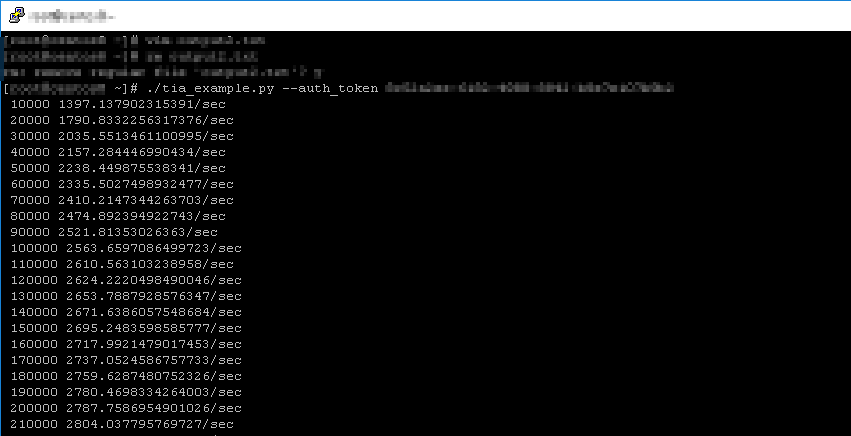
At 210 000 entries that’s quite impressive right? Well this is where my adventure begins with big data. At only 210 000 entries, I hadn’t even scratched the surface of the number of queries for the first hour of data from 2020-06-02. It can’t be this bad, I thought. So I let it download – for several hours! Still stuck on 2020-06-02 and the file is now few hundred MB big.
I decided to change my tactic so that I wouldn’t accidentally run out of space. Leverage the counter in the script to quit after 50 000 000 entries. Good idea! Well script ran, exited at 50 million entries, and I was stuck with a 7.6GB text file of query data. This is what the data looks like:
{"id": "3535498001", "qname": "t.awcna.com", "qtype": "A", "timestamp": "2020-06-20T07:00:00.335057858Z", "city": "", "region": "CQ", "country": "CN"} {"id": "3535499001", "qname": "t.awcna.com", "qtype": "A", "timestamp": "2020-06-20T07:00:00.579225256Z", "city": "Huaihua", "region": "HN", "country": "CN"} {"id": "3535500001", "qname": "ilo.brenz.pl", "qtype": "A", "timestamp": "2020-06-20T07:00:01.143257961Z", "city": "", "region": "", "country": "SD"}So my adventure actually wasn’t that bad – man it does feel good to be able to program again!
Some after-thoughts:
- There is a ton of good tutorials/beginners guides out on the internet, the trick is being able to figure out what you want, and describe it in terms that someone else has potentially had the same problem with. Failing that, just post on the programming forums, show the research that you did, what you’re getting and there are a good few people who are willing to take time out of their day to figure things out (faith in humanity restored!)
- My mistake was to jump into the deep-end first by figuring out a script that was way beyond my programming level. This probably could have been a much quicker exercise if I started with the basics first.
- Identify which data format (UTF-8/other) you want to use in your script and stick with it. Changing data-types in the script is a huge challenge to figure out.
Part 2 (coming soon) – Attempting to import the data into a database.
 Personal Blog